
A breath pacer and focus timer you make yours.
Pick a composition, choose your colors, and turn it into the thing you need: a focus timer for the next twenty minutes, or a pacer that moves as you breathe. Reshuffle it, recolor it, reframe it, whenever it stops fitting. Quiet, ad-free, and yours.


Shuffle it
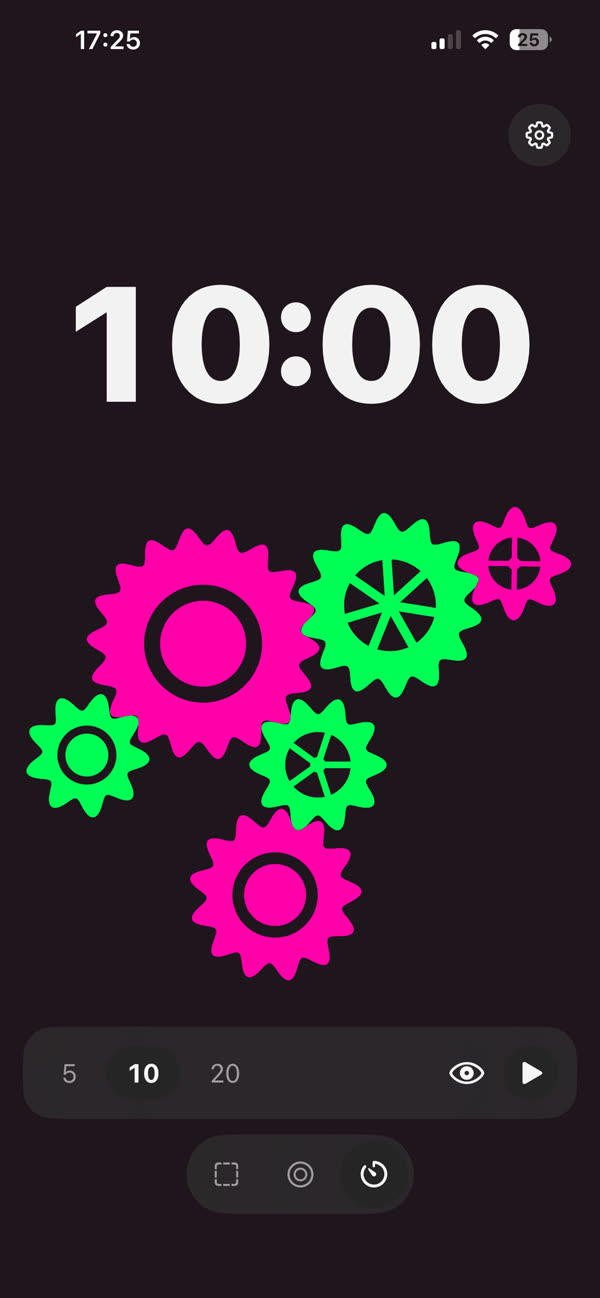
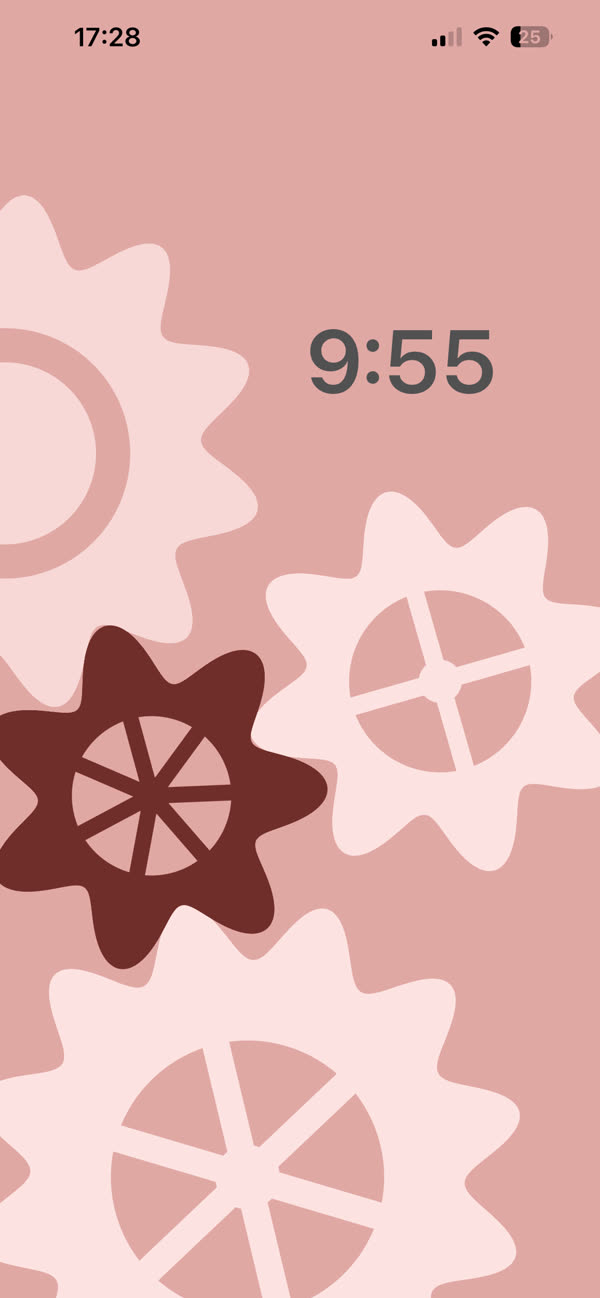
Every composition grows from a seed — drifting cells, meshing gears, or rolling waves. A tap deals a new one: sometimes a single breathing form, sometimes a dense little world, never an accident. Shuffle until you find the shape you want your timer or your breathing pace to live on.

Color it
Every composition starts in shades of grey. You bring the color. Pick a hue and a mood: deep single-color ink, glowing color on a near-dark field, two hues of your own, or pure greyscale. Recolor your timer or your breathing pace under your finger, in light mode or dark.

Breathe, or focus
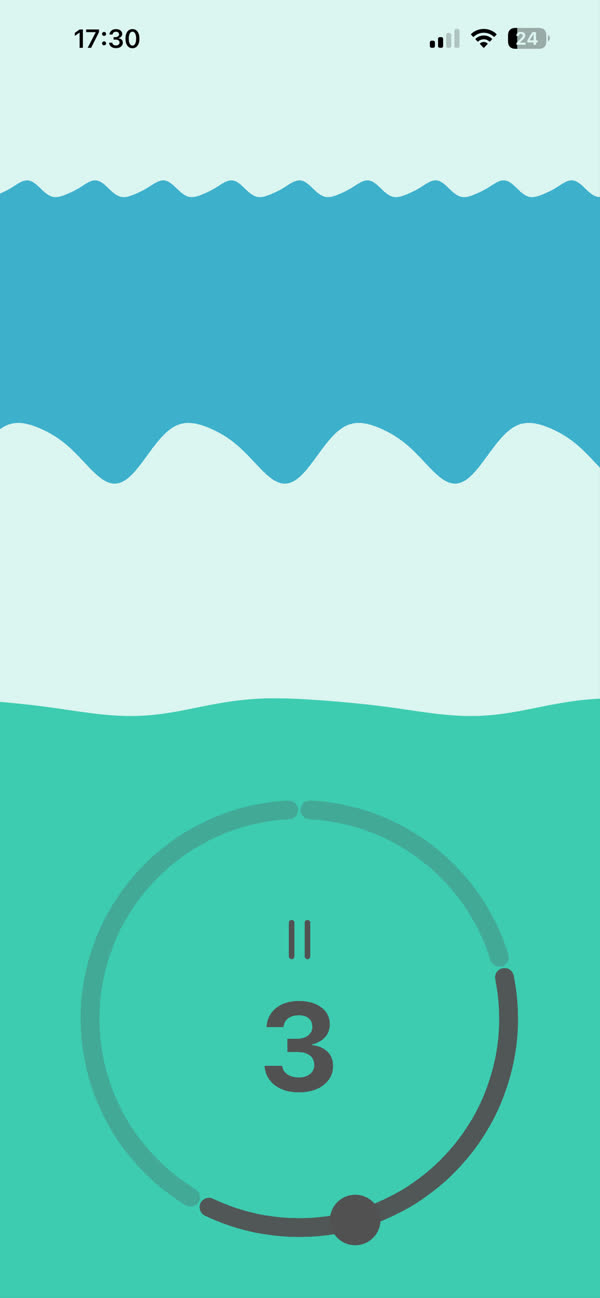
Give your composition a job: a breathing pacer that moves it as you inhale, hold and exhale, or a focus timer you place right on top of it. Or just leave it running, ambient, like a lava lamp with taste. Your colors, your composition, your call.
Never the same timer twice
Camaïeu isn't a stock countdown or a generic breathing app — you build the thing you're going to stare at. Pick a family of shapes, shuffle the composition, choose the colors, then decide what it does: pace your breath or count down your focus. Change your mind next week and reshuffle it into something else. Everything on screen is drawn live on your iPhone, from shapes designed and tuned by hand, so whatever you land on looks deliberate.
Breathe with it, focus with it
The breath pacer isn't laid over the composition, it sets its pace: the shapes move as you inhale and exhale, and pause when you hold, while a ring swells and settles with each breath and shows where you are in the cycle. Choose a pattern (box breathing, relaxing 4-7-8, coherent breathing) or set your own timing. For work, start a focus timer instead, and place it on the composition you built: a tiny countdown beside one big drifting cell, or bold numerals over a field of little gears, in the colors you chose. It's the nicest timer you'll ever look at, because you made it that way.
A look you can keep — and share
Once you've built the timer or the breathing pace you want, keep it. A favorite captures the whole look — the shapes, the seed, your colors, even how you framed it — and brings it back exactly, ready to breathe or focus with again. Every look also has a short code you can copy and send: a friend pastes it into their own Camaïeu and gets your exact composition, colors included. No account, no uploads: the code is the picture.
Carry it with you
Export the exact frame on your screen as a still, or as a short video that loops seamlessly for sharing the motion itself — your composition and colors, off the timer and out in the world. What you see is what you carry.
Free to fall for it
Camaïeu is ad-free, and the free version is a fully working breath pacer and focus timer: one complete shape family with endless variation, colors and moods to build your composition from, every breathing pattern and every timer length, and still export. If you want more to build with — every shape family, the full set of colors, all the moods, your favorite looks saved and shared, motion carried out as video — a small monthly or yearly subscription opens the rest of the box.
Frequently asked
What do I actually do with it?
What happens when I start a focus session?
How does breathing mode work?
Can I keep a picture I like?
What does “camaïeu” mean?
Is this a wallpaper app?
Are the pictures AI-generated?
Is it free?
Does it need an account or an internet connection?
Behind the scenes
I built Camaïeu in public, from the first shapes in August to the 1.2 update in September, and wrote it all down as it happened: the questions I asked, the replies that changed the app, and what broke along the way.
- Building Camaïeu in public
- What exists so far
- Which family rides free?
- The answer came offline
- The wallpaper that keeps its still
- Alive while standing still
- Same gears, same seed
- A breath you can see
- Does it need onboarding?
- Four, seven, eight
- One step short of blinking
- Camaïeu is out
- Right suspect, wrong reason
- The app's first critic
- Three modes, and a few thank-yous
- What building in public taught me
Privacy
Everything happens on your iPhone. Pictures are generated and rendered on the device, and your favorites, settings and breathing patterns stay there: no account, no sign-up, no ads. The optional subscription goes through Apple and RevenueCat; anonymous usage statistics go through TelemetryDeck. The only permission the app asks for is adding images to your Photos library when you export. Full details in the Privacy Policy.
Send Feedback
Found something useful, missing, or unclear? Your feedback is welcome.