
Etch it into memory.
A tiny app for the things you don't want to forget. Capture them as quickly as you'd take a photo — say it, or clip it from what you're reading — and Etch deals them back to you, a few cards at a time, until they're etched in.


Say it
A podcast drops a gem mid-walk, a museum guide mentions an anecdote, the radio names a song you love. Say it out loud in your own words — Etch transcribes on your iPhone and, if you want, on-device AI shapes it into a clean card. You confirm, and it's saved.
Clip it
Reading something worth keeping? Select the text and share it to Etch. The back of the card is written from the passage itself — and shared from Safari's toolbar, the card keeps a link back to the page.

It comes back
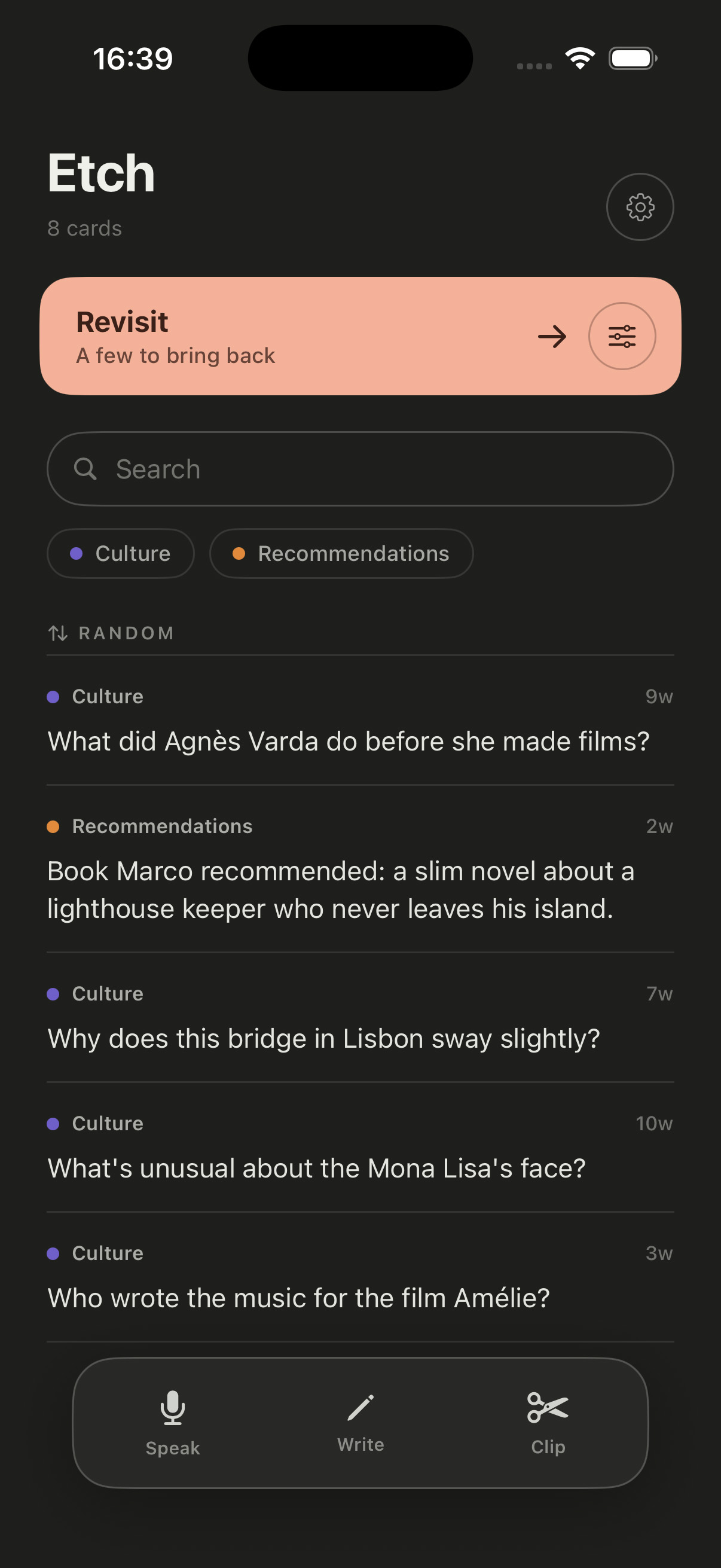
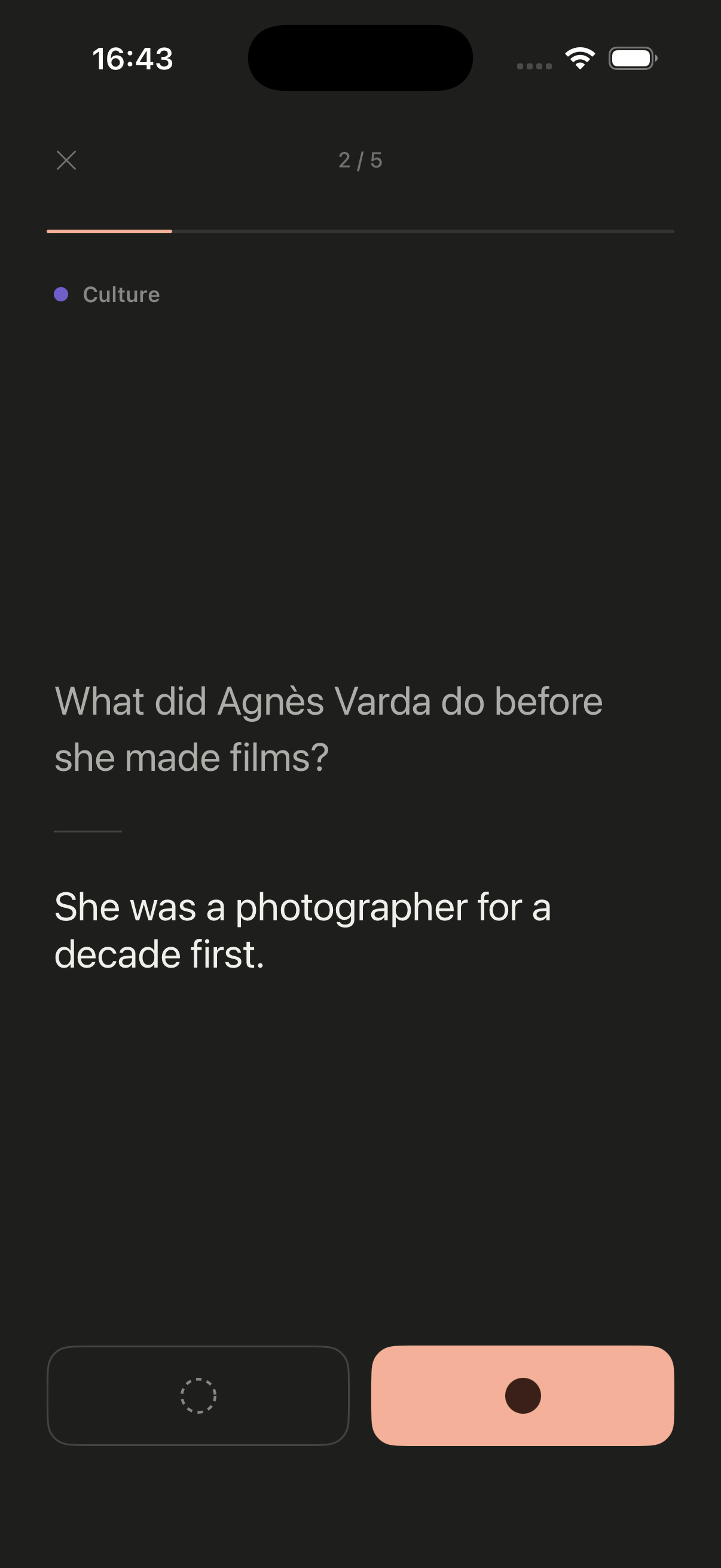
No due dates, no streaks, no score. Tap the band and Etch deals a handful of five cards. Reveal each one, then mark it etched in — or bring it back. Missed cards return first; the rest rotate so nothing fades away.
For the things worth keeping
A quote that stopped you mid-page. The song from the end credits. The painter from that exhibition. Your colleague's kids' names. The Italian word you keep looking up. The film a friend swore by at dinner. Etch is for the small things you'd hate to forget but would never sit down to memorize. Write them in a notes app and they're gone; give them to Etch and they come back.
How it works
Capture takes seconds: say it, write it, or clip it. Each thing becomes a card — a question and its answer, or a single fact — with a colored label from your own list. You always see the card before it's saved, and you can edit anything. Later, in a spare moment, tap the band: Etch deals a handful of five, you reveal each answer and mark it etched in or bring it back. That's the whole loop.
AI, only if you want it
Etch works with Apple Intelligence, entirely on your iPhone — and it's a choice, not a requirement. One switch in Settings turns AI formatting on or off. Off, nothing is ever reshaped: your cards keep your words exactly as captured.
With it on, a spoken note is transcribed on the device and shaped into a clean card, with a label suggested from your own list — never invented. A clipped passage gets its answer written from the passage itself, not from the model's general knowledge, so the card can't drift from what you actually read. Every card waits for your OK before it's saved — and either way, nothing ever leaves your phone.
Also nice
Two card types — question & answer, or a plain fact. Colored labels to keep topics apart. Search and filters to bring a subject back to hand before a conversation. A handful of five in one tap — or a longer run of 10, 25 or everything when you feel like it. Clipped cards keep a tappable link to where you read them. Dictate in up to three languages, independent of the app's language. Light and dark mode. English and French. Private iCloud sync across your devices — optional, like the AI — and a full export of your cards whenever you want one.
Frequently asked
Is Etch a notes app?
How does voice capture work, with and without AI?
How does clip-to-card work, with and without AI?
Do I have to use the AI?
Does Etch need an account or an internet connection?
Which iPhones does Etch support?
Which languages does Etch support?
What data leaves my device?
Privacy
Everything happens on your iPhone. The AI runs on-device through Apple Intelligence — your words, your clips, and your cards are never sent to a server. No account, no analytics, no third parties. If you use iCloud, cards sync through your own private iCloud database, readable by no one but you. Full details in the Privacy Policy.
Send Feedback
Found something useful, missing, or unclear? Your feedback is welcome.